A story from surfing the web: a riddler hid a password inside encodings, waiting for someone to crack it.
The encrypter said he had left the riddle in the source code’s //TODO. Opening the source, I found the riddle he left:
\u0061\u0048\u0052\u0030\u0063\u0044\u006f\u0076\u004c\u0032\u0052\u006c\u0064\u0069\u0031\u007a\u0061\u0057\u0052\u006c\u0059\u0032\u0046\u0079\u004c\u006d\u0052\u0076\u0059\u0032\u0031\u0070\u0063\u006e\u004a\u0076\u0063\u0069\u0035\u006a\u0062\u0069\u0039\u0035\u0062\u0033\u0056\u006d\u0061\u0057\u0035\u006b\u0061\u0058\u0051\u0076\u0061\u0057\u0035\u006b\u005a\u0058\u0067\u0075\u0061\u0048\u0052\u0074\u0062\u0041\u003d\u003d
Here is my road to the answer.
I recognized this as Unicode, so I called a Unicode-to-String method in IDEA and peeled off the first layer:
public static void main(String[] args) {
    String a = "\\u0061\\u0048\\u0052\\u0030\\u0063\\u0044\\u006f\\u0076\\u004c\\u0032\\u0052\\u006c\\u0064\\u0069\\u0031\\u007a\\u0061\\u0057\\u0052\\u006c\\u0059\\u0032\\u0046\\u0079\\u004c\\u006d\\u0052\\u0076\\u0059\\u0032\\u0031\\u0070\\u0063\\u006e\\u004a\\u0076\\u0063\\u0069\\u0035\\u006a\\u0062\\u0069\\u0039\\u0035\\u0062\\u0033\\u0056\\u006d\\u0061\\u0057\\u0035\\u006b\\u0061\\u0058\\u0051\\u0076\\u0061\\u0057\\u0035\\u006b\\u005a\\u0058\\u0067\\u0075\\u0061\\u0048\\u0052\\u0074\\u0062\\u0041\\u003d\\u003d";
    String s = unicode2String(a);
    System.out.println(s);
}

public static String unicode2String(String unicode) {
    StringBuffer string = new StringBuffer();
    String[] hex = unicode.split("\\\\u");
    for (int i = 1; i < hex.length; i++) {
        // convert each code point
        int data = Integer.parseInt(hex[i], 16);
        string.append((char) data);
    }
    return string.toString();
}
Hit run, and the result was:
aHR0cDovL2Rldi1zaWRlY2FyLmRvY21pcnJvci5jbi95b3VmaW5kaXQvaW5kZXguaHRtbA==
Another encoded string, needing another decode. It ends in ==, so this is base64. I found a base64 decoder online and got:
http://dev-sidecar.docmirror.cn/youfindit/index.html
Next, open the site. I thought it was over — effortless. Opening it, I was dumbfounded: except for some text, there was nothing.
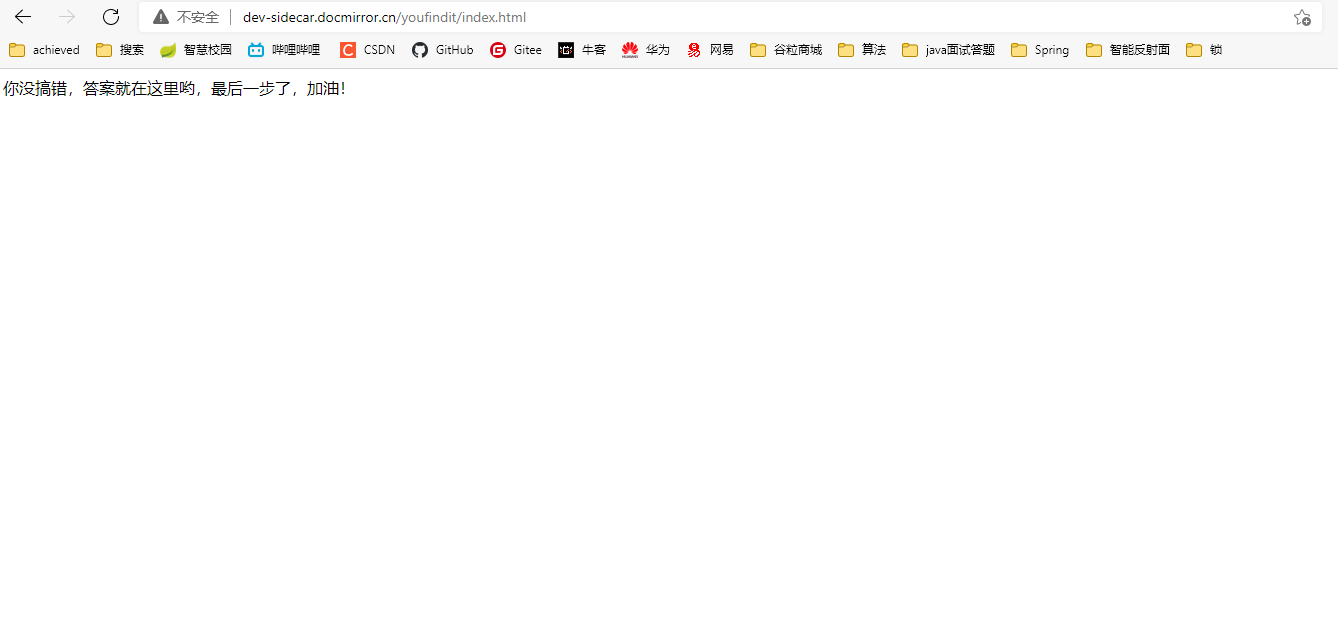
Well — another riddle from the developer. Keep digging.
Since the page showed nothing, I went straight into developer mode to see whether anything was hidden inside.
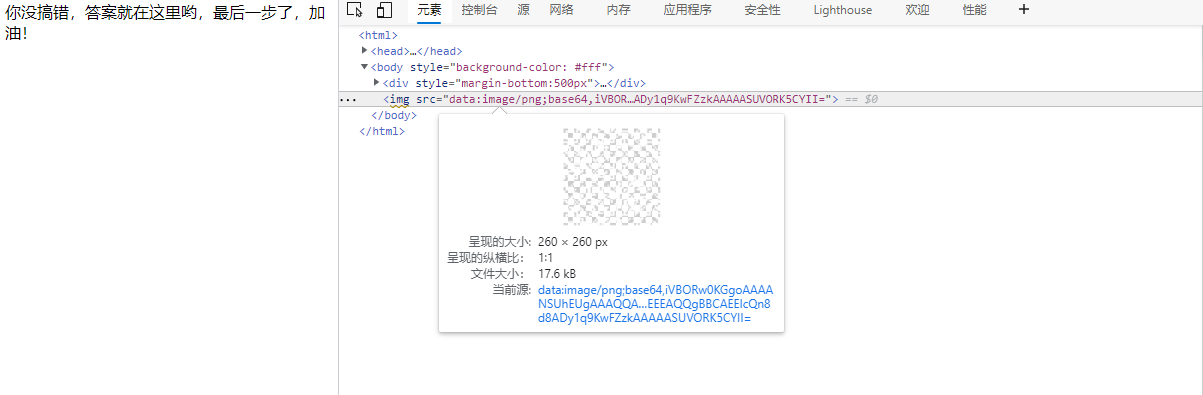
Sure enough, he had secretly hidden an image in the page, invisible. I downloaded the image: a QR code — but a transparent one, which is how it hid in the page. The QR code’s metadata showed it was also base64-encrypted. I decoded it in passing and found he had used Photoshop to make it transparent, though that didn’t help much with the decryption.
A transparent QR code cannot be scanned by WeChat. I was stuck — I don’t know Photoshop either. What now?
A flash of inspiration: open it directly in an image viewer, take a screenshot with a screenshot tool, and send that to WeChat’s scanner. Finally, the answer appeared.
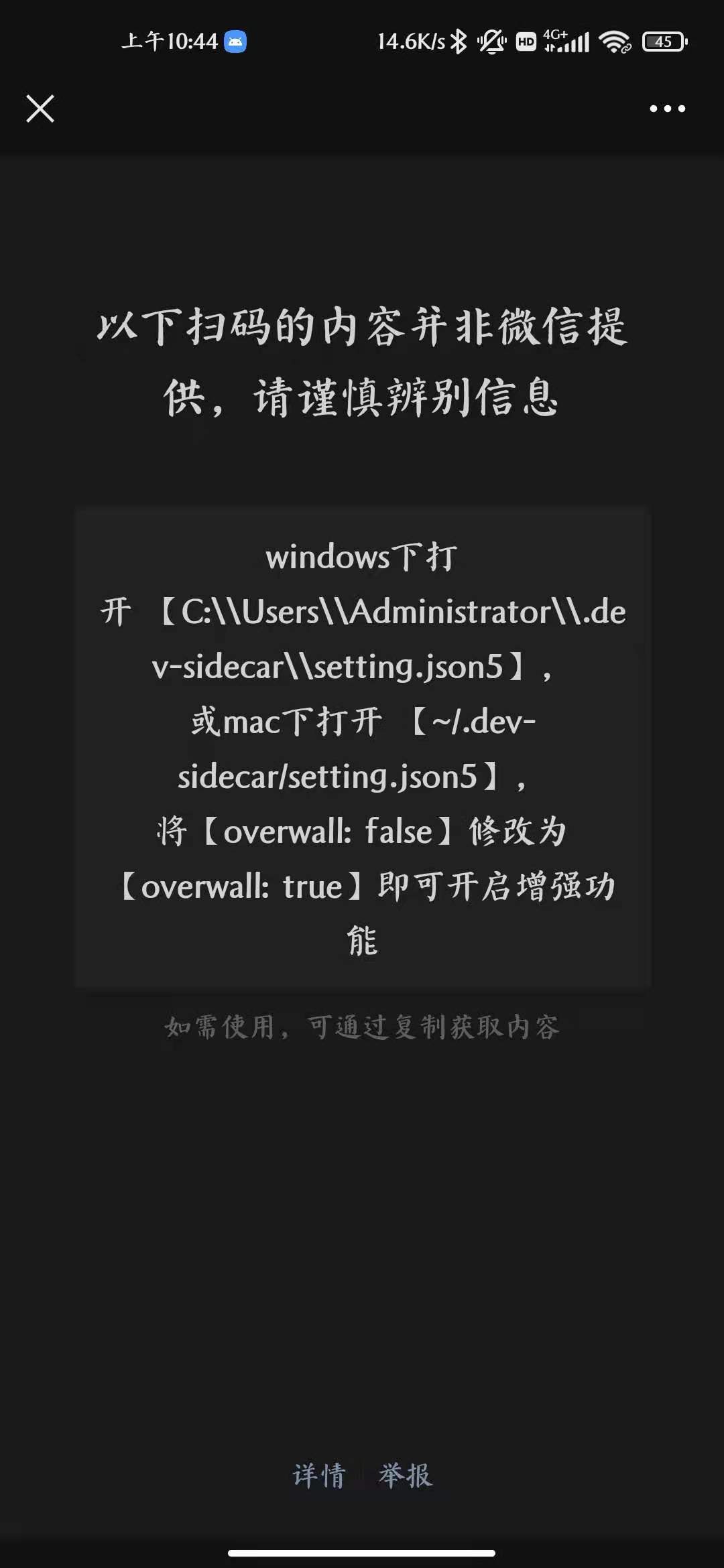
Yeah — the IT world, connected.
Written in late summer 2021, Nanjing University of Posts and Telecommunications.